 Aximo
Aximo en
en Русский
Platform settings
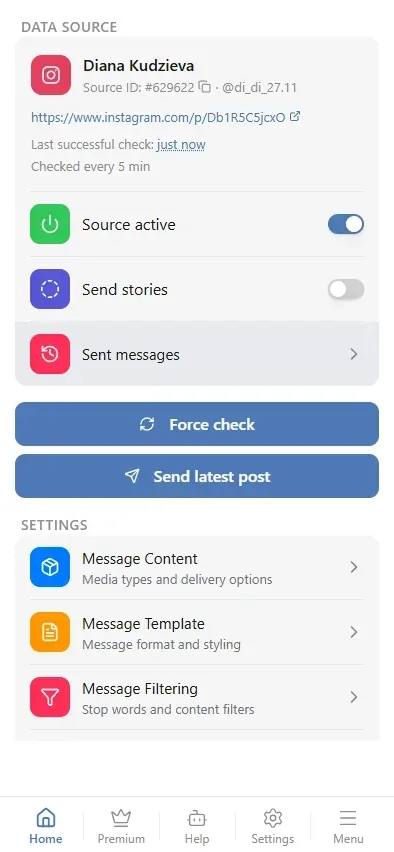
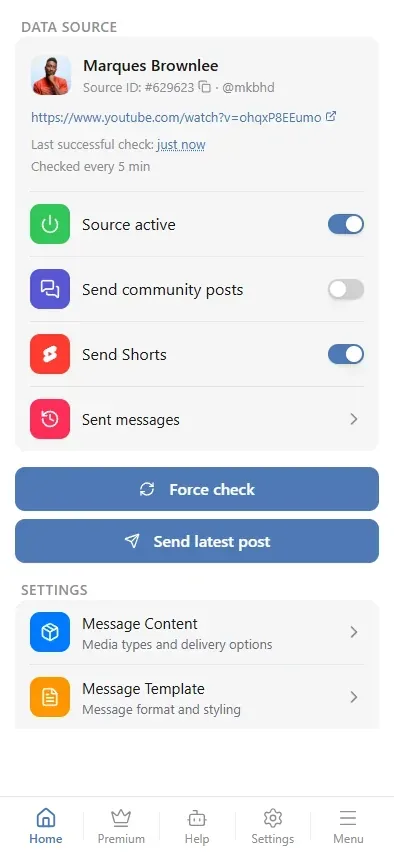
Per-source switches for Instagram, YouTube, X and VK — stories, community posts, Shorts, replies and reposts.
Most sources have one kind of content: a post appears, the bot delivers it. Four platforms are wider than that — an account also publishes stories, community posts, Shorts, replies or reposts. Whether those reach your chat is decided per source, in the source card, by the switches below. They are available on paid plans; Instagram stories need the Expert plan or above.
What each platform adds
| Platform | Switch | Default | What it adds |
|---|---|---|---|
| Send stories | off | Active stories (expert plan and above) | |
| YouTube | Send community posts | off | Posts from the channel's Community tab |
| YouTube | Send Shorts | on | Short vertical videos |
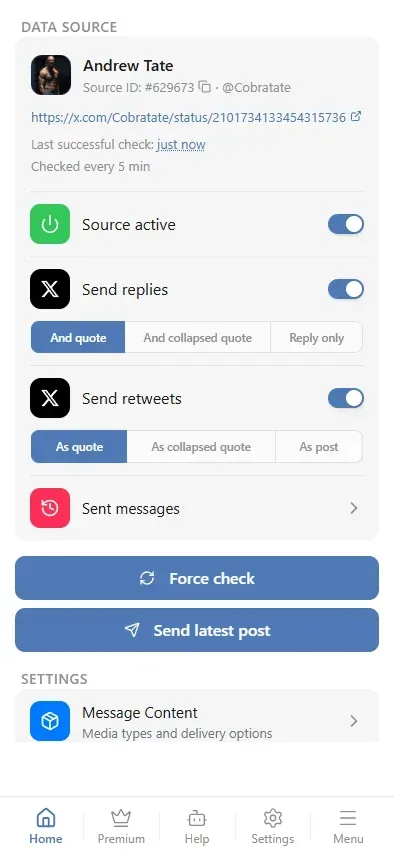
| X / Twitter | Send replies | off | Replies the account writes to other people |
| X / Twitter | Send retweets | off | Posts the account reposted |
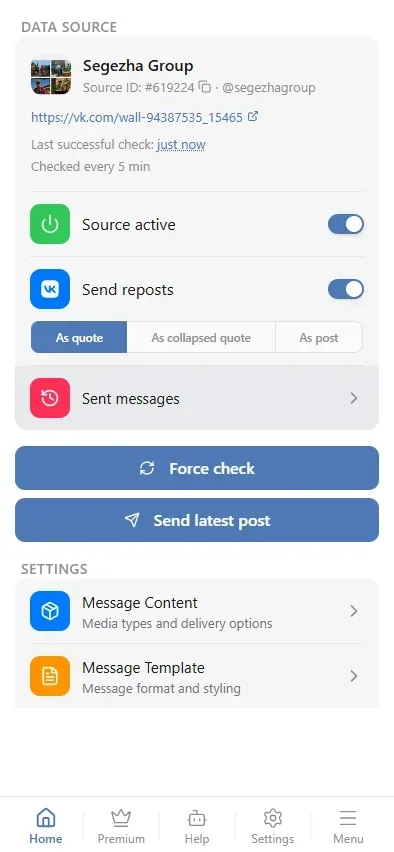
| VK | Send reposts | on | Posts the community reposted |
Two of them are opt-out — Send Shorts and Send reposts are on until you turn them off. The rest are opt-in: the source delivers ordinary posts until you ask for more.
A post held back by a switched-off toggle shows up in the delivery log as filtered, with the reason — see The delivery log.
Instagram: stories
Stories live for 24 hours and are only available on the expert plan and above. With the switch on, the source delivers new stories of the account alongside its posts.
YouTube: community posts and Shorts
The channel feed YouTube publishes contains videos only, so community posts — polls, images, text announcements from the Community tab — are fetched separately. That makes such a source a little slower to check, which is why the switch is off by default: turn it on for channels whose community posts you actually want.
A community post that reposts a video is delivered as the video itself, not as a post, so you never receive the same upload twice.
Shorts are on by default. The feed does not mark them in any way — a Short and a regular upload look identical in it — so the bot recognises them by the channel's Shorts tab. Turning the switch off removes them from delivery while normal videos keep coming.
X: replies and reposts
Both switches come with a style picker underneath, because a reply and a repost only make sense together with what they answer or quote.
For replies: And quote delivers the reply with the original post above it, And collapsed quote hides the original behind a line you can unfold, Reply only sends the reply alone.
For reposts: As quote keeps the original visible, As collapsed quote folds it, As post delivers the reposted content as if the account had published it.
An account that mostly answers other people can triple its volume once replies are on — switch it on for one source first and look at the result before doing it everywhere.
VK: reposts
A community that reposts a lot is the usual reason to turn this off. The switch removes reposts only; the community's own posts keep coming.
It has the same style picker as X: As quote keeps the original post visible under the repost, As collapsed quote folds it behind an unfoldable line, As post delivers the reposted content as the community's own.
Translating quotes
When replies, retweets or reposts come in, Translate quotes appears under them. Pick a language and the quoted post — the original under a reply, retweet or repost — arrives translated into it; in the As post style the reposted text is translated. Off leaves the quote as written. The post's own text is translated separately, by Automatic translation.
If translation fails, the quote arrives in the original language.
Plan and scope
These switches belong to one source, not to the whole chat: one YouTube channel can deliver Shorts while another does not. They apply on paid plans — on the free plan the switches are locked, and a previously saved "off" stops applying, so nothing silently disappears when a subscription ends.