 Aximo
Aximo en
en Русский
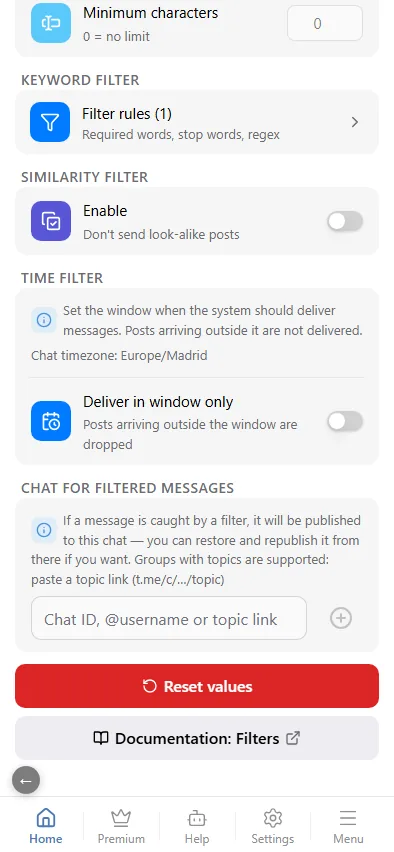
Chat for filtered messages
Dropped posts are not lost silently: each one is published to your private channel with the reason, and you can restore it from there.
Nothing is lost silently. Connect a private channel in Chat for filtered messages and every post caught by a filter — including a clone dropped by the similarity filter — is published there with the reason; from there you can restore and republish it. The block exists only in the chat's Message Filtering.
How to connect it
- Add @AximoBot as an administrator of a private channel.
- Paste its id,
@usernameor a link to a topic of a group with topics (t.me/c/…/<topic>) into the field. The format is checked as you type: the mini app shows whether the chat was found and whether the bot is an administrator there. - The connected chat is shown as a card with its title; the cross disconnects it.
It needs the Expert plan or higher: filtered posts arrive with media the bot fully downloads and re-uploads.
What goes there
Each post carries a note with the reason: which rule or filter stopped it, and for a clone — how closely it matches the already published post, and the threshold.
It receives posts dropped by the content filter and the keyword filter at the "Original" and "Replaced" stages, by the time filter, and the clones of the similarity filter. Posts dropped by rules at the "After AI" stage and by AI filters are not published there — they only show up in the events log.
Filtered, look-alike and AI-filtered posts show up in the events log with the reason either way — with or without a connected chat.