 Aximo
Aximo en
en Русский
Deferred posting
Review posts before they go out, or publish them on a schedule with pauses between posts.
By default a post goes out as soon as it appears in the source. Deferred delivery holds it: either until you approve it, or until the schedule allows it. The setting is per chat, available on the Expert plan and above — on Free and Pro the Deferred position is shown but locked, with a note on what it unlocks.
Switching the mode
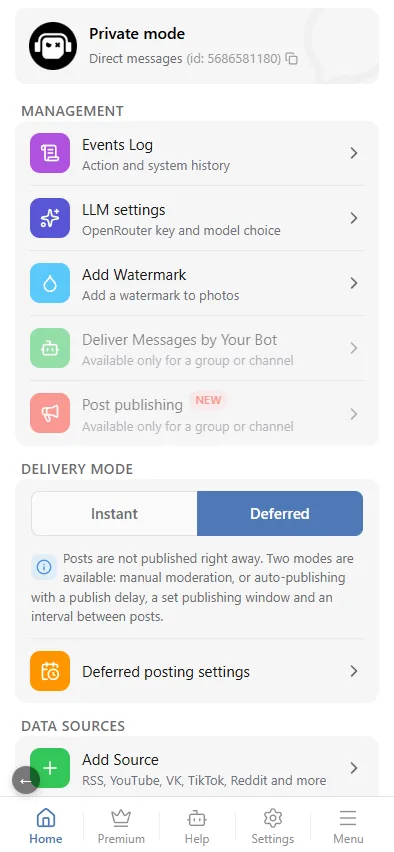
Open the chat in the mini app. The Delivery mode block has two positions: Instant and Deferred. Choose Deferred and open Deferred posting settings.
Publishing mode
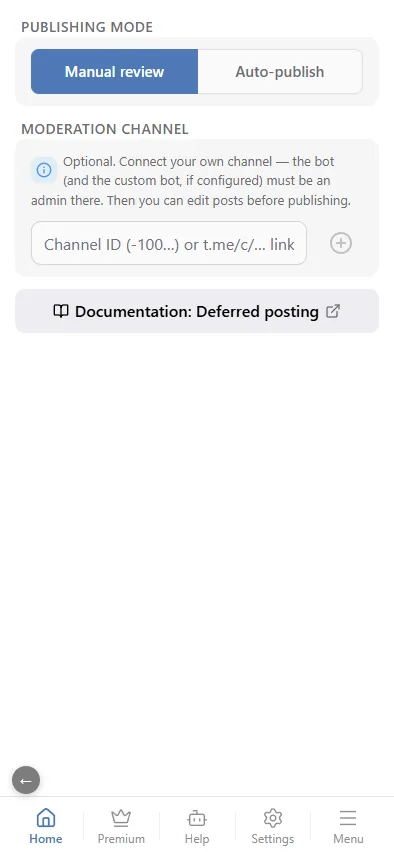
The Publishing mode switch offers Manual review or Auto-publish. Neither requires a moderation chat — without one, posts wait in a shared service channel instead (see Moderation chat below).
- Manual review has one setting — Moderation chat: your own channel or group for reviewing and editing posts before they go out. It is optional.
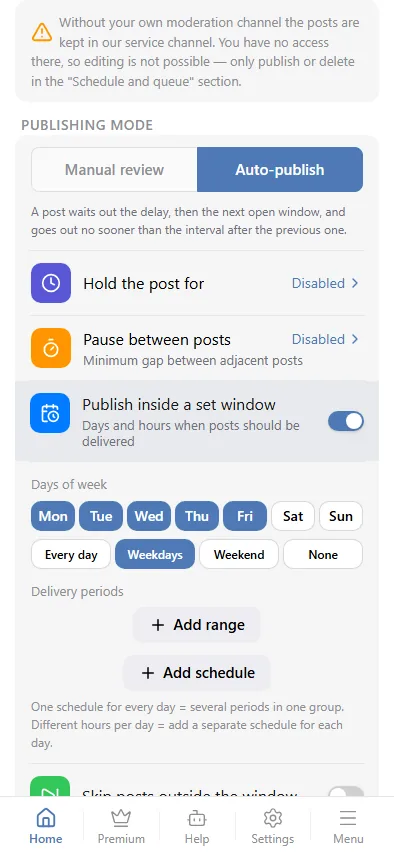
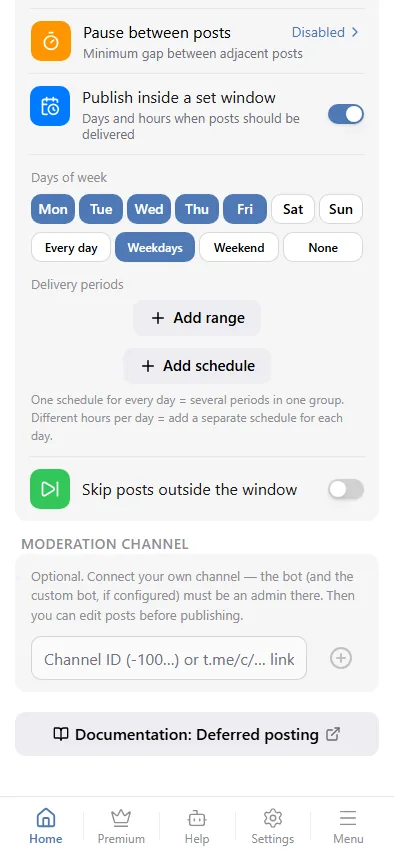
- Auto-publish has three: Hold the post for (a delay before each post), Pause between posts (the minimum gap between two publications) and Publish inside a set window (only on chosen days and hours). Each is explained in Auto-publish below.
Manual review
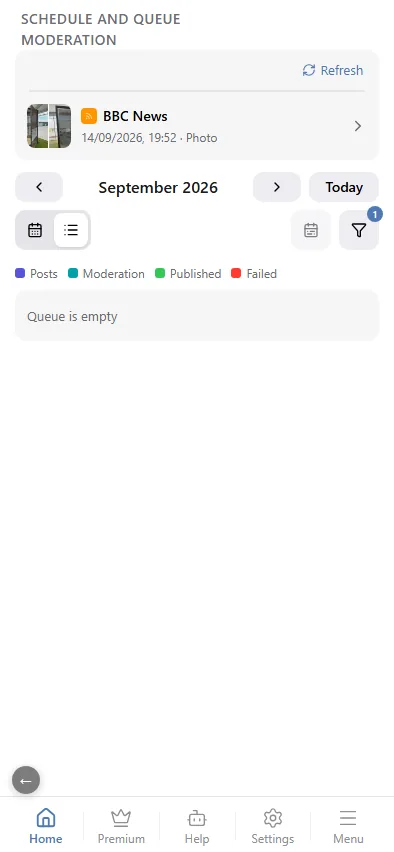
In Manual review every post lands in the queue instead of the chat. The queue lives in its own section — Schedule and queue in the Management block: it appears as soon as the queue is not empty and carries a counter. For each queued post you can:
- Publish — send it to the chat now;
- Schedule — pick a date and time; the post stays in the queue but is auto-published at that moment and shows on the publishing calendar.
- Edit — open the post in your own moderation chat, change it there and publish the edited version. Only available once your own chat is connected; otherwise just Publish, Schedule or Delete.
- Delete — drop it.
With a moderation chat connected, the bot also copies every incoming post into that chat with Publish and Delete buttons, so a team can review posts from Telegram without opening the mini app; editing still happens in the chat itself.
Auto-publish
In Auto-publish nobody has to approve anything; the bot publishes by rules:
- Hold the post for — delay every post by a set duration, up to 24 hours; "Disabled" (0) skips the delay.
- Pause between posts — the minimum gap between two publications, up to 60 minutes, so a burst of posts from one source spreads out over the day.
- Publish inside a set window — a toggle that opens the day/time picker: publish only inside chosen hours on chosen days, in the chat's time zone. One schedule can hold several periods; add a separate schedule for days with different hours. Turning it on reveals Skip posts outside the window: instead of waiting for the next opening, drop posts that arrive outside it. While it is on, the Time filter block disappears from the chat's Message Filtering: the window would otherwise be set twice, in two places.
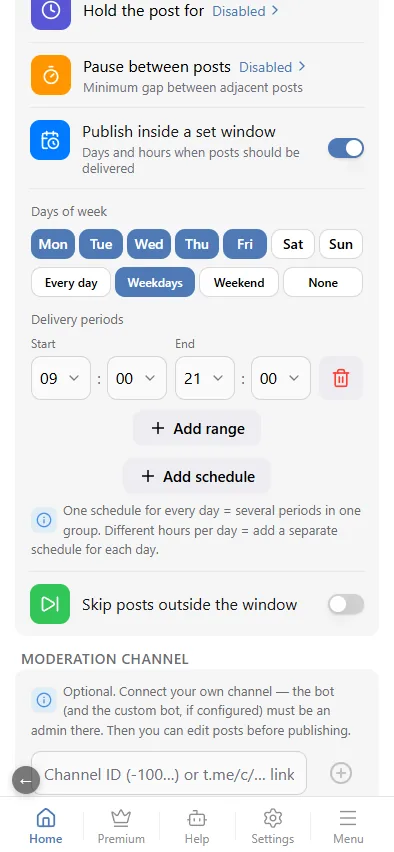
A post waits out the delay, then the next open window, and goes out no sooner than the interval after the previous one.
Where the queue is
The list of posts waiting on a decision lives in Schedule and queue — together with your own posts and the publishing calendar. The All / Moderation / Posts filter narrows the list down to source posts when that is what you are reviewing. Dates are shown in the chat's time zone.
The Deferred posting settings screen no longer holds a list of posts: it keeps the rules only — mode, delay, window and moderation chat.
Moderation chat
Optional. Connect your own chat — a group or a channel; the bot (and the custom bot, if configured) must be an admin there. Then you can edit posts before publishing: create a private group or channel, add @AximoBot (and your custom bot, if any) as an administrator, paste its id or t.me/c/… link into the field and press the plus button.
Without your own moderation chat the posts are kept in our service channel. You have no access there, so editing is not possible — only publish or delete from Schedule and queue.
Deferred posting vs. the time filter
The time filter in Message filtering also has a window, but it is a filter: a post outside the window is dropped. Deferred posting queues it and publishes later. Use the filter for "never at night", deferred posting for "not before 9 in the morning".