 Aximo
Aximo en
en Русский
Adding a source
Which links the bot understands, platform by platform, and what happens after you paste one.
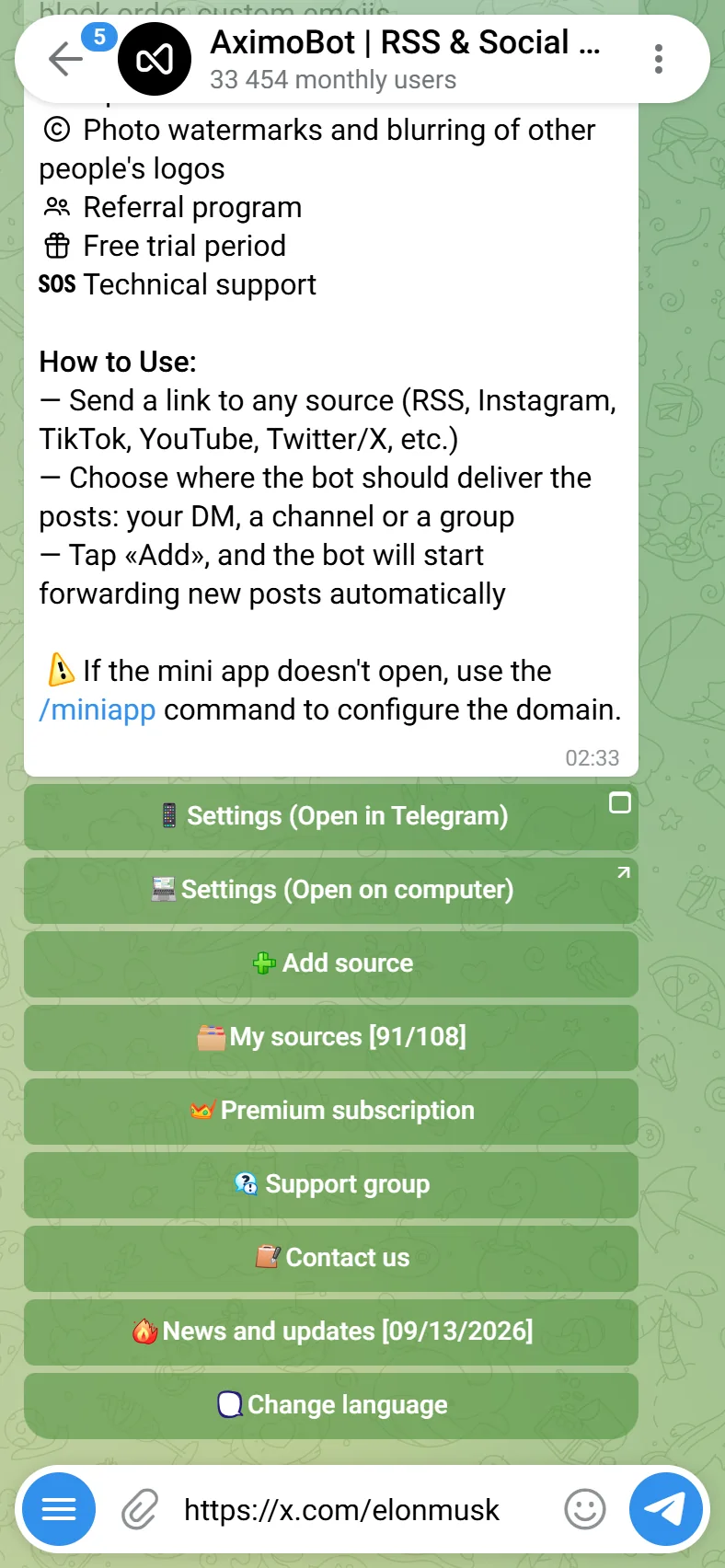
A source is added by link. Send it to the bot in the chat or paste it into Add Source in the mini app; the bot resolves it, shows a preview and asks whether to deliver the latest posts right away.
The link must point to an author — a profile, a channel, a community, a feed — not to a single post. A link to one post is rejected with a hint.
Platforms
| Platform | What to paste | Notes |
|---|---|---|
| RSS / Atom | Any feed URL, or just the site's URL | Smart RSS: paste a page instead of a feed, and the bot finds the site's feed or builds one from the page — see Smart RSS. |
instagram.com/<user> | Posts and reels of a public profile. Stories are switched on per source. Age-restricted accounts (Instagram asks to verify age) are delivered on premium plans, through paid services; not on the free plan, because every such request costs money. | |
| TikTok | tiktok.com/@<user> | New videos of an account. |
| YouTube | youtube.com/@<handle>, /channel/<id>, /c/<name>, /user/<name>, a playlist link | Uploads; streams and premieres are handled by Live streams. A playlist is followed as an RSS feed. |
| X / Twitter | x.com/<user> or twitter.com/<user>; a saved search — x.com/search?q=<query> or twitter search <query> (Expert plan and above) | Posts of an account, or every new post matching a search query. Replies and reposts are off by default and can be switched on per source. When X hides an account, the bot falls back to alternative services, which brings most such accounts back. |
| Telegram | t.me/<channel> | Public channels. Invite links to private channels and groups (t.me/+…, t.me/joinchat/…) are not accepted — the bot suggests our sister bot @RoutifyBot, which reads any channel or group through your own account. |
facebook.com/<page>, facebook.com/share/<id>/, facebook.com/profile.php?id=<digits> | Public pages and profiles. | |
reddit.com/r/<sub>, reddit.com/user/<name> | New posts. Add /top, /hot or ?t=week to change the listing. | |
| VK | vk.com/<community> | Wall posts. Reposts can be filtered. |
| Threads | threads.net/@<user> | |
| Twitch | twitch.tv/<channel> | Streams and clips. |
| a board or profile link | Followed as an RSS feed. | |
| Odnoklassniki | ok.ru/group/<id>, ok.ru/profile/<id> | |
| Rutube | rutube.ru/channel/<id> | |
| LiveJournal | <name>.livejournal.com | |
| Medium | medium.com/@<user> or a publication | |
| Dzen | dzen.ru/<channel> | |
| Coub | coub.com/<user> |
Snapchat, WhatsApp and Discord have no public feed, so their links are refused with "This platform is not supported".
Smart RSS: any website
A site does not need a feed to become a source. Paste its address — the homepage or a section, not the feed — and the bot works it out by itself:
- The feed is found. If the link is already an RSS or Atom feed, it is used as is. Otherwise the bot opens the page and follows the feed links the site publishes for feed readers; for many popular sites it also knows where the feed lives even when the page does not say so.
- No feed — it is built. When the site has no feed at all, an AI model reads the structure of the page: it finds the repeating block — a news item, a blog post, a product card — and learns where the title, the text, the date, the picture and the link sit inside it. From that the bot builds a feed.
- Then it is a source like any other. New items arrive in your chat on your plan's schedule. The model runs once: the layout it learned is reused on every check. If the site is redesigned and the layout stops matching, the feed is rebuilt automatically.
A post from a built feed carries the title, the text, one picture and a link to the original. Video and audio come only from a real feed — if the site has one, it is always preferred.
Works for news sites, blogs, company news, catalogues and price lists, job boards — anything where new items appear as a list of similar blocks. Does not work for a link to a single article (the bot asks for the section instead), pages behind a login, and sites that draw everything with scripts after loading.
If there is neither a feed nor a structure to build one from, the bot replies No RSS feed found on the page. Try again later, or paste the site's own feed URL if you know it.
In the bot: send a link
Paste the link as a plain message. Three steps in the chat:
- The link. Any link from the table above.
- Where. The bot resolves the link and replies with the name, the description and the latest posts it found, and asks Where should posts from this source be delivered? — Personal account (your private feed) or one of the connected channels and groups; the two Settings buttons above them open the mini app.
- How. Pick a chat and the buttons under the same card change to Add and send latest posts (subscribe and deliver the last posts now) and Add without sending (subscribe without a backlog).
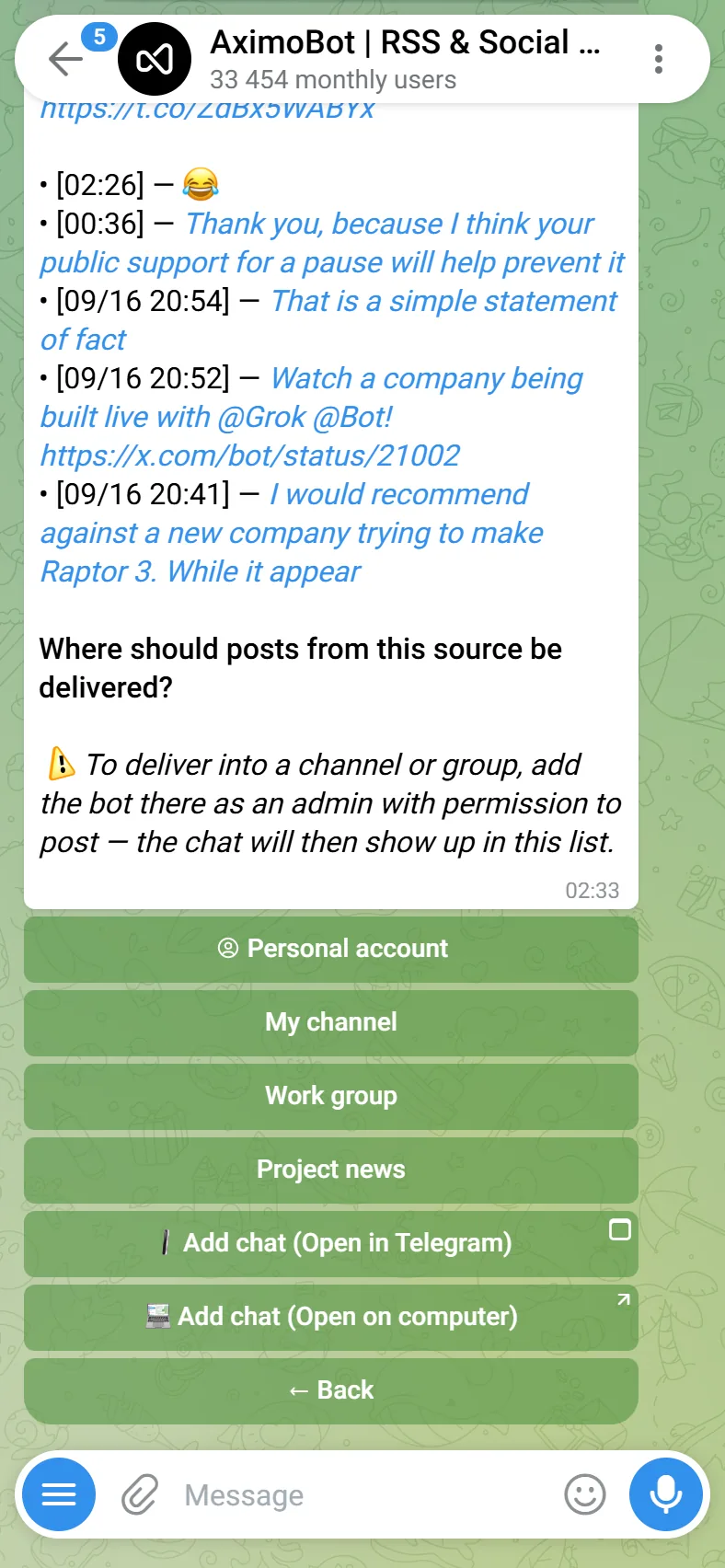
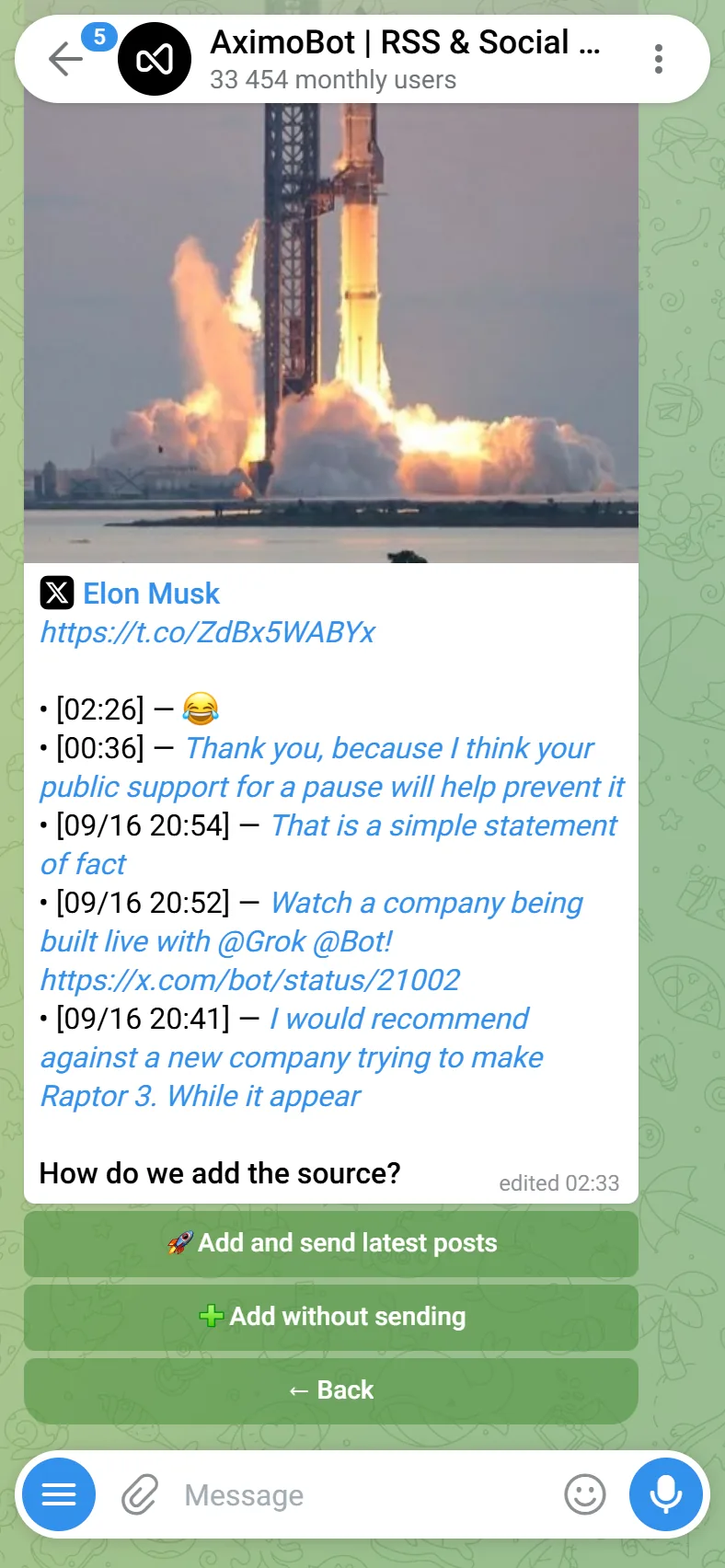
If the source returns no posts at all, the bot refuses to add it: an empty source would never deliver anything. Try again later or check the link.
In the mini app
Open the chat that should receive the posts, press Add Source and paste the link. The same preview appears — name, avatar, description, the last posts — with the same two buttons; the source goes into the chat you opened, so there is no "where" question.
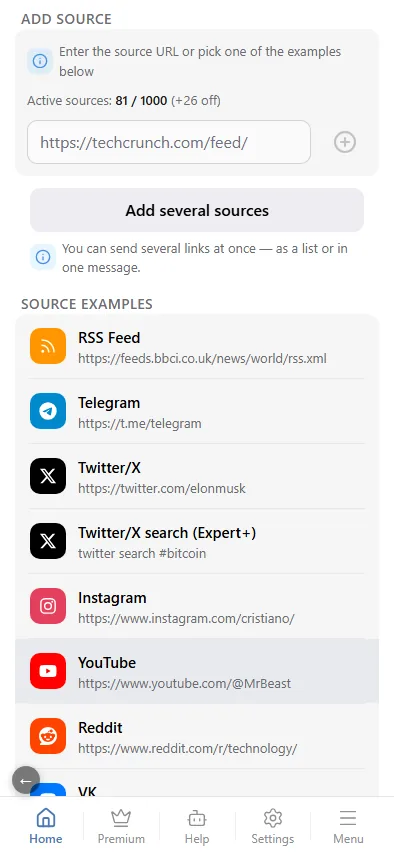
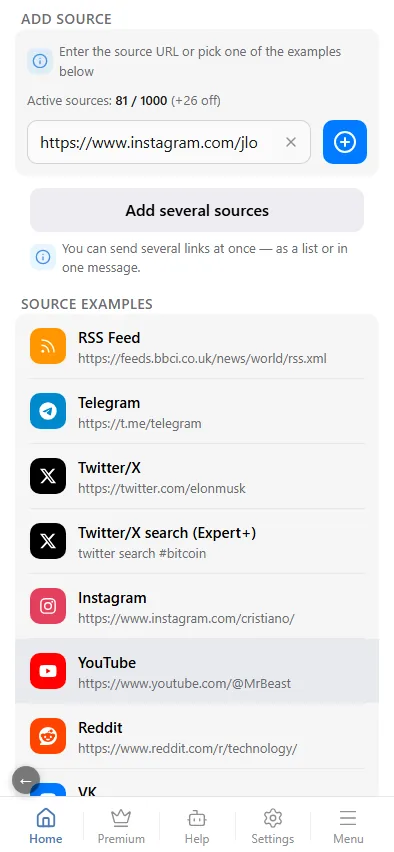
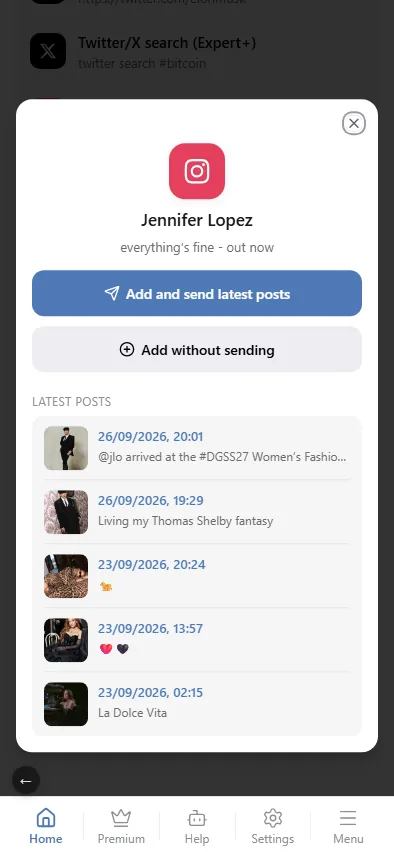
The mini app also works on a computer, in a browser, after a one-time sign-in with Telegram — see On a computer, in the browser.
Several sources at once
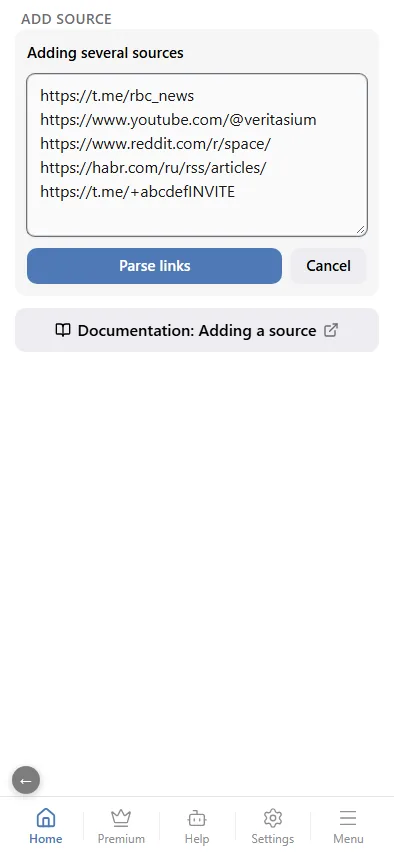
You can add a batch of sources in one go — up to 30 links at a time. Put each link on a new line, or separate them with spaces, commas or semicolons.
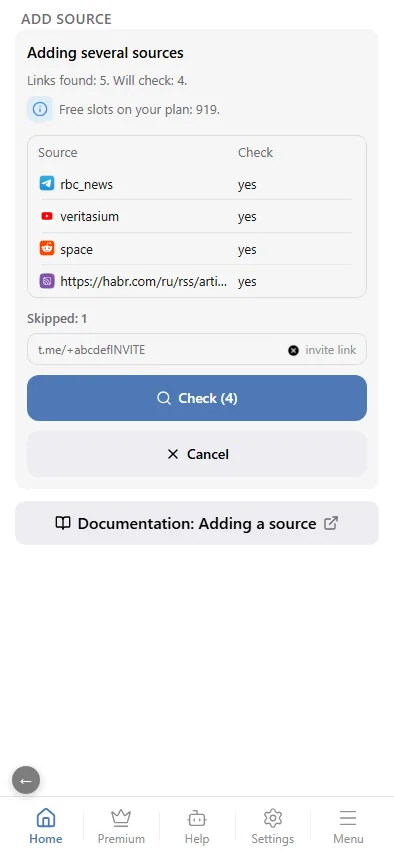
- Parsing. The bot finds every link in the text and shows a table right away: each source with its platform logo and whether it will be checked. You cannot take more than the free slots left on your plan — extra links go to "Skipped". Duplicates, invite links, unsupported sites and plain junk land there too, each with its reason. A link to a post works as well: its author is checked instead.
- Check. Press Check (N). Links are checked a few at a time, and each row's status updates in the same table: waiting, checking, ready, or rejected with a reason (no posts, private, deleted, a higher plan is needed). You can cancel the check at any moment.
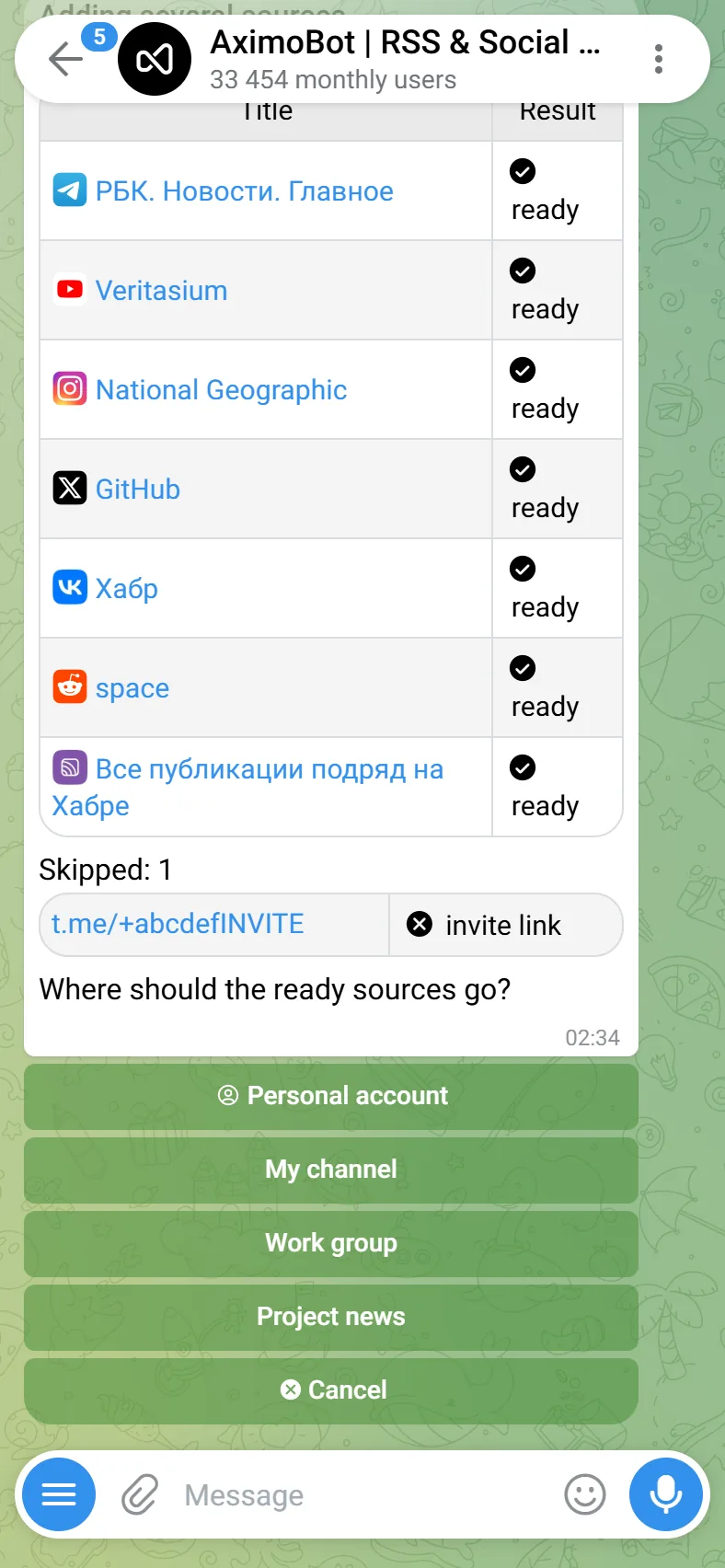
- Result. When the check is done, ready sources show their name instead of the link — as a link to the source itself, so you can make sure it is the right account.
- Where and how. Pick a chat (Personal account, a channel or a group) and the way to add: Add and send latest posts or Add without sending. The final table shows the result for every row: added, already there, or not added.
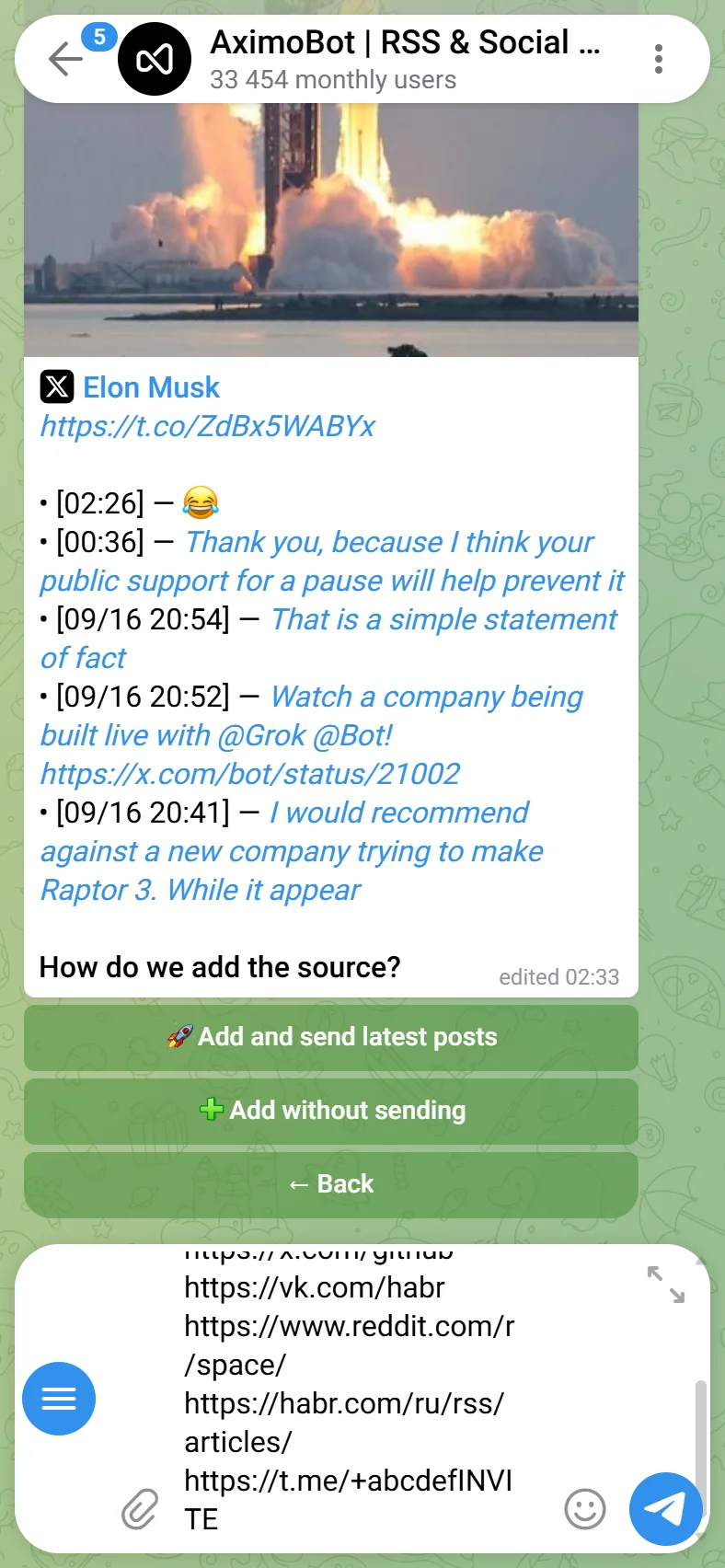
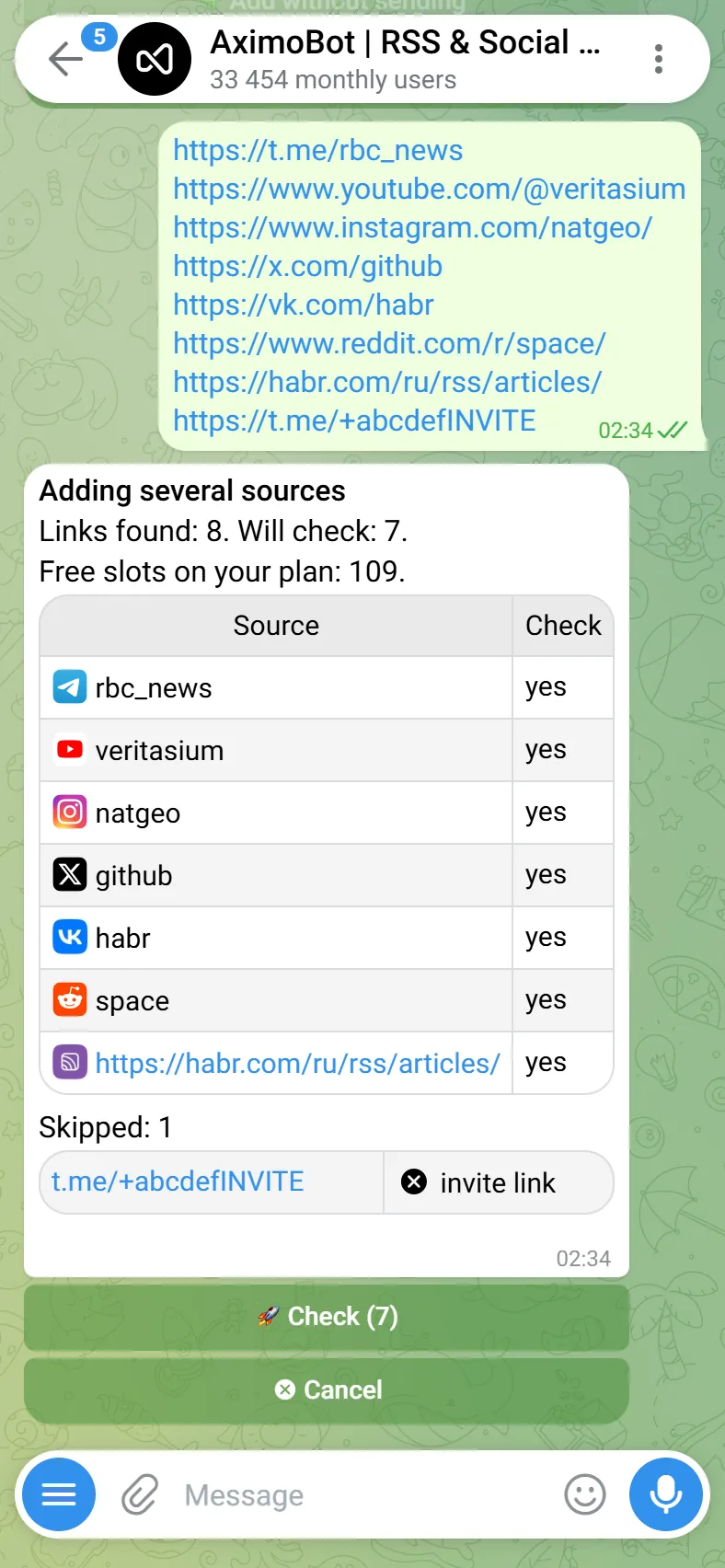
In the mini app: Add Source → Add several sources, paste the links into the field and press Parse links. The steps are the same — the table, the check with live statuses and the two add buttons. The sources go into the chat you opened.
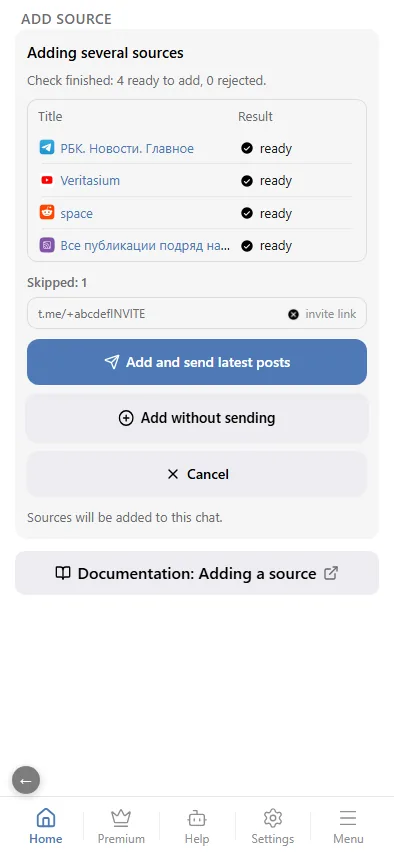
Add without sending delivers nothing that was already published: only posts that appear after the source was added are delivered. Only Add and send latest posts sends the last posts right away.
Limits
- Number of sources is the main plan limit and is counted across all your chats; disabled sources do not count — the numbers are in Plans.
- Adult content. Sources flagged as 18+ go through the NSFW filter and can only be added on a paid plan: a free account gets "Restricted content" instead.
- Telegram channels without a public preview are resolved through a community bridge.
- Dead sources. A profile that was deleted or permanently blocked is refused before any download.
After adding
The source appears in the list of sources of the current chat with its own settings. It is checked on the plan schedule; a fast check can be bought for it separately.
Bulk import
An OPML file with RSS feeds is imported in the mini app: Add source → OPML import. See Import and export.